Using the Analysis and Interpreting the Results #
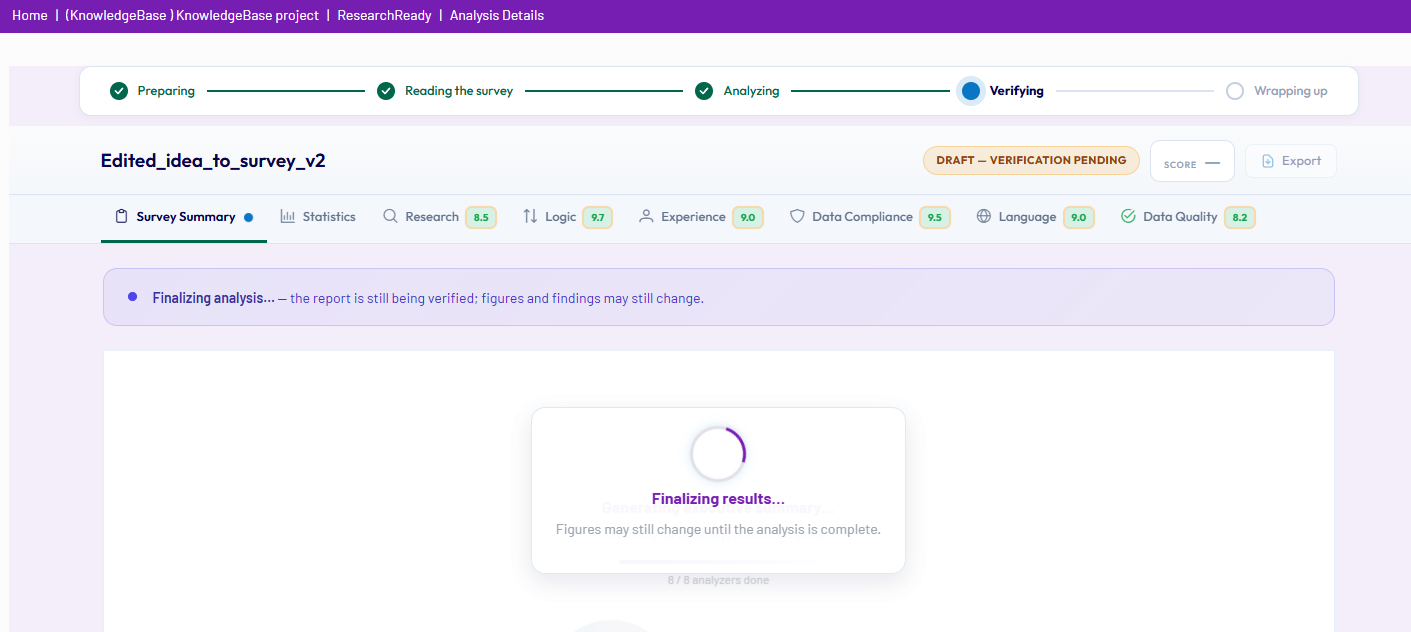
While a review is in progress, the Analysis screen provides a clear and user-friendly overview of activity. It includes:
- Real-time progress indicators
- Completion banners
- Counters showing completed analyses
This allows you to easily track the status of the evaluation as it runs.
Accessing the Report #
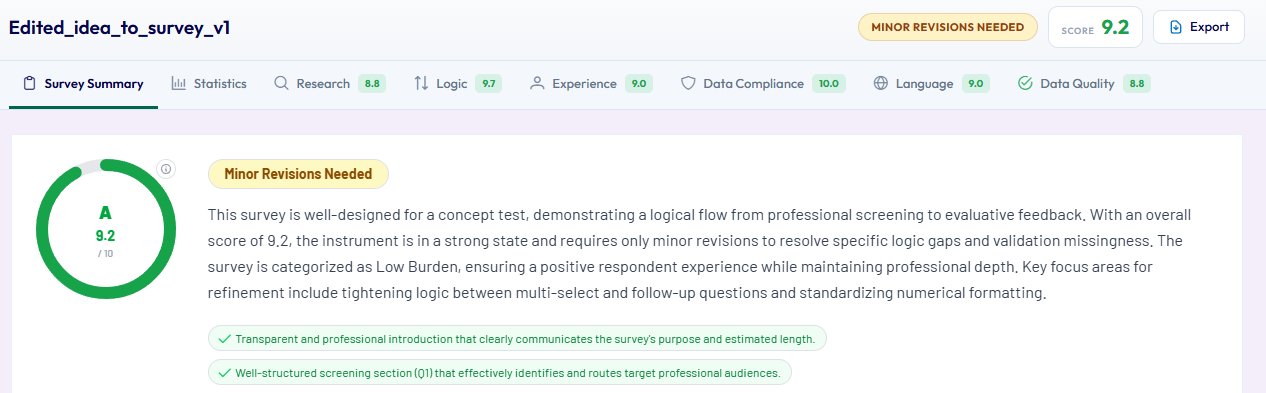
Once the assessment is complete, the report is automatically displayed.
If the report is closed, it can be accessed at any time via the Project Dashboard, where all analyses are stored under the ResearchReady tool.
Module-Based Evaluation #
The report is structured into:
- A Survey Summary (aggregated overview of all modules)
- Individual tabs for each enabled analysis module
Report Sections
- Survey Summary: Provides a comprehensive overview of the full assessment, including key findings, supporting findings, informational insights and actionable recommendations.
All findings are clearly linked to specific questions, sections, or survey elements. - Statistics: Includes Key survey metrics: Estimated Length of interview, number of questions, distribution of question types, survey complexity and anticipated incidence rate.
- Research methodology: Evaluates questionnaire structure and logical flow. Provides recommendations to support informed survey design decisions.
- Logic: Highlights routing issues, structural inconsistencies, pipe-in errors, potential scripting risks. All recommendations are action-oriented, focusing on how to resolve issues rather than simply describing them.
- Experience: Assesses respondent experience and cognitive burden, including grid-heavy or exercise heavy sections, open-ended question density, risk of respondent fatigue, engagement levels, mobile readability. Includes practical suggestions to improve usability and completion quality.
- Data Compliance: Evaluates personal and sensitive data, consent mechanisms, privacy considerations and regulatory compliance. Includes jurisdiction-aware checks, covering both GDPR-style requirements and country-specific considerations where applicable.
- Language: Strong checks across grammar and spelling, clarity and wording, cultural appropriateness, regional terminology, date and currency formats, tone and formality. Multi-market reviews can reflect country and regional context.
- Data Quality: Focuses on actionable improvements related to validation gaps, data integrity risks, quality control inventory, quota design and management.
Understanding Each Finding #
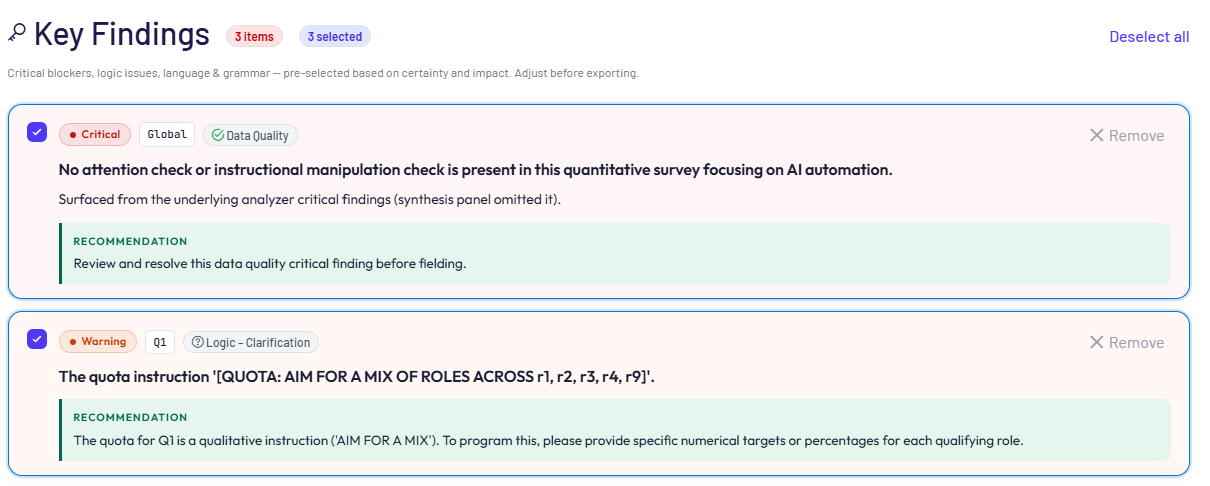
Each finding includes:
- Severity Level – Indicates urgency:
Critical – must be addressed before proceeding
Moderate – recommended to address
Minor – optional improvement
- Reference: Links directly to the relevant question or section of the survey.
- Associated Module: Identifies whichanalysis module generated the finding (e.g., Logic, Experience, Data Quality).
Export and Sharing Options #
The ResearchReady tool supports a range of flexible report export and sharing options to facilitate collaboration, review, and follow-up actions.
Available Export Options #
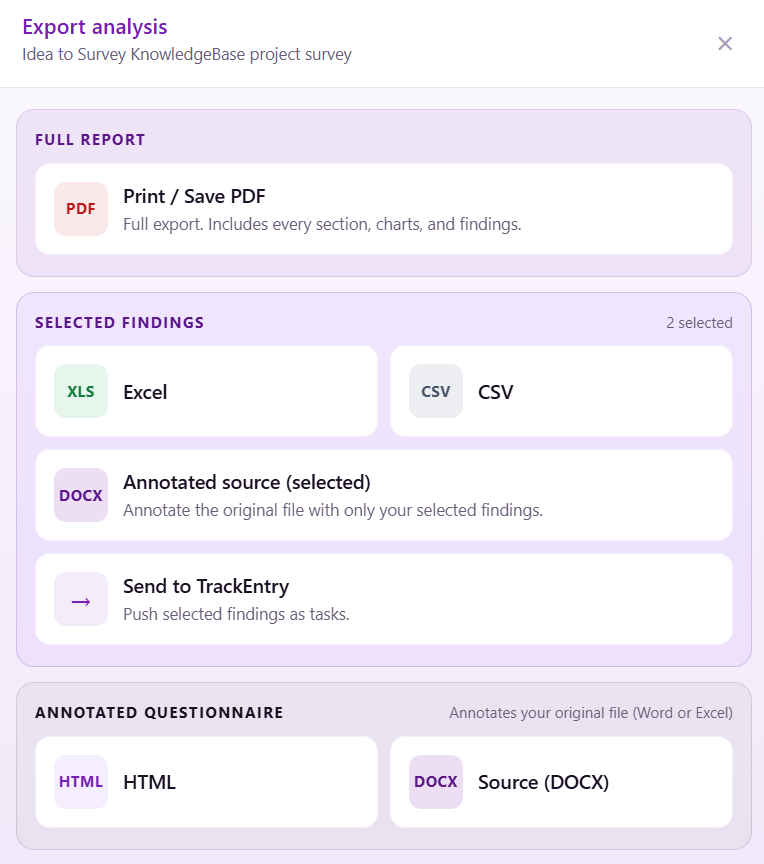
Full PDF Report: Exports the complete evaluation as presented in the Survey Summary section, providing a comprehensive, ready-to-share document.
Selected Findings Export: Exports selected findings in Excel (.xlsx) or CSV format:
- Includes key findings automatically identified by the analysis, or
- Allows manual selection after human review
Annotated Source Export: Adds selected findings as comments directly within the uploaded questionnaire file:
- Available in Word or Excel, depending on the original file format
- Enables contextual review and easier implementation of changes
Annotated Questionnaire Export: Exports the full questionnaire with annotations:
- Available in HTML format, or
- Embedded annotations within the original file
#
Integration with TrackEntry #
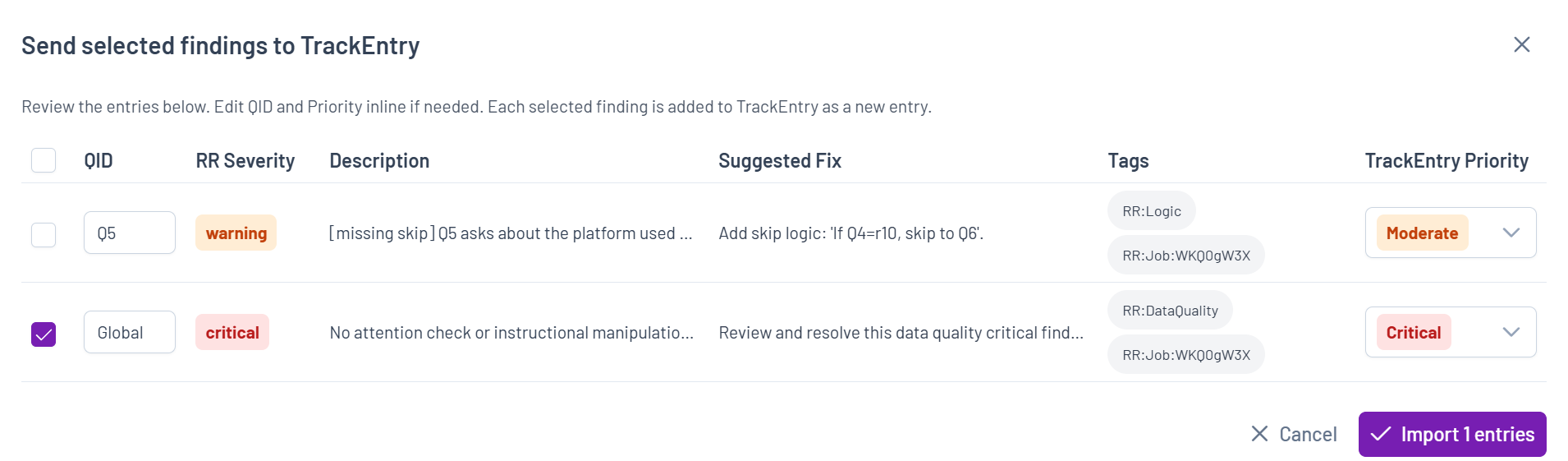
Send Findings to TrackEntry: Selected ResearchReady findings can be seamlessly transferred into TrackEntry, ensuring a structured and efficient transition from issue identification to resolution.
This integration supports a clear workflow from “issue identified” to “action assigned and tracked.”
Key Features:
- Select findings to be converted into follow-up actions
- Preview entries before creation
- Automatically check for potential duplicates
- Edit Question IDs (QIDs) and priority levels as needed
- Map ResearchReady severity levels to TrackEntry priorities
- Include recommended fixes as comments within TrackEntry
- Create actionable tasks linked to the original review context